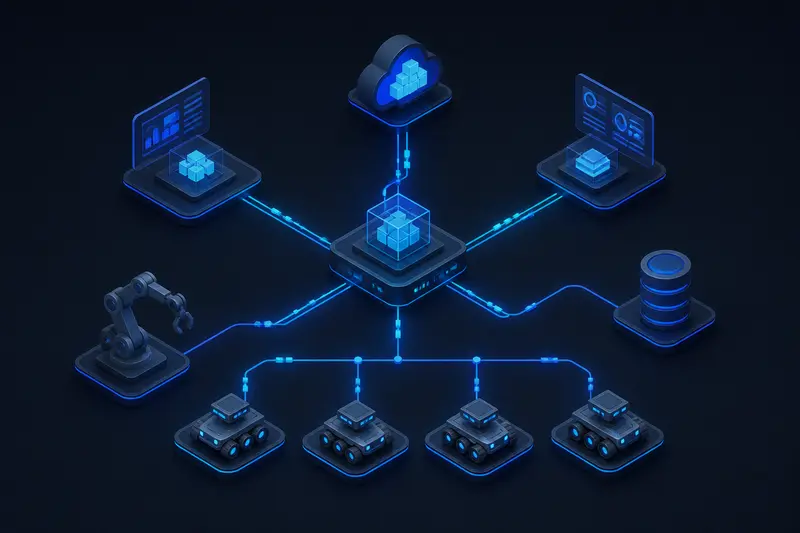
Almost every non-trivial robot runs more than one piece of software at once: a camera driver, an object detector, a motor controller, a battery monitor. These pieces cannot be one giant program without becoming impossible to test or reuse. ROS2 (Robot Operating System 2) solves this by giving each piece its own process, called a node, and a messaging layer that lets nodes exchange data without hardcoding who talks to whom. This article explains ROS2 nodes and topics with working examples, so you understand what is actually happening under the hood rather than just copying boilerplate.
What a Node Actually Is
A ROS2 node is a single executable process that performs one job: reading a sensor, running a controller loop, or converting data from one format to another. A typical mobile robot might run a lidar driver node, a SLAM node, a path planner node, and a wheel controller node, each as a separate OS process. Splitting the system this way has three concrete benefits:
- A crash in one node (say, a buggy vision node) does not take down the motor controller.
- You can restart, replace, or profile a single node without touching the rest of the system.
- Nodes written in Python and nodes written in C++ can run side by side and communicate normally.
Creating a minimal node in Python with rclpy looks like this:
import rclpy
from rclpy.node import Node

class BatteryMonitor(Node):
    def __init__(self):
        super().__init__('battery_monitor')
        self.get_logger().info('battery_monitor node started')

def main():
    rclpy.init()
    node = BatteryMonitor()
    rclpy.spin(node)
    rclpy.shutdown()

if __name__ == '__main__':
    main()
Running this file starts a process named battery_monitor that shows up when you list active nodes with ros2 node list. By itself it does nothing useful yet, since it is not exchanging any data.
Topics: The Publish/Subscribe Backbone
A topic is a named, typed data channel. Nodes that produce data publish to a topic; nodes that consume data subscribe to it. Neither side needs to know the other exists. The battery monitor node above can publish its charge level on a topic called /battery_state, and any number of other nodes, a dashboard, a logger, a safety monitor, can subscribe to that same topic independently.
Every topic has a fixed message type, defined in a .msg file, so a publisher and subscriber must agree on the data structure. Common built-in types include std_msgs/Float32, sensor_msgs/Imu, and geometry_msgs/Twist for velocity commands. Here is a publisher that sends a battery percentage every second:
from std_msgs.msg import Float32

class BatteryMonitor(Node):
    def __init__(self):
        super().__init__('battery_monitor')
        self.publisher = self.create_publisher(Float32, 'battery_state', 10)
        self.timer = self.create_timer(1.0, self.publish_level)
        self.level = 100.0

    def publish_level(self):
        msg = Float32()
        msg.data = self.level
        self.publisher.publish(msg)
        self.level -= 0.5
The trailing 10 in create_publisher is the queue depth, how many unsent messages the publisher buffers if a subscriber falls behind. A subscriber for the same topic looks like this:
class BatteryLogger(Node):
    def __init__(self):
        super().__init__('battery_logger')
        self.subscription = self.create_subscription(
            Float32, 'battery_state', self.on_battery, 10)

    def on_battery(self, msg):
        self.get_logger().info(f'Battery at {msg.data:.1f}%')
You can run these two nodes in separate terminals, in any order, and they will find each other automatically. There is no configuration file listing which node connects to which; discovery happens automatically at the middleware layer.
How Discovery Actually Works: DDS
ROS2's communication is built on top of DDS (Data Distribution Service), an existing industrial middleware standard, rather than a custom protocol written from scratch. This is one of the biggest architectural differences from ROS1, which used a central master process that every node had to register with. In ROS2, DDS handles discovery in a decentralized way: each node broadcasts what topics it publishes and subscribes to, and any two matching nodes connect directly, peer to peer, once they discover each other on the network.
Two practical consequences follow from this:
- There is no single point of failure. If one node dies, the rest of the graph keeps running.
- DDS Quality of Service (QoS) settings control delivery behavior per topic, for example whether messages should be reliable (retransmitted if dropped) or best-effort (fine for high-rate sensor data like lidar scans, where the newest reading matters more than every reading).
A common beginner mistake is mismatched QoS: a publisher set to best-effort and a subscriber set to reliable will silently fail to connect. If two nodes should be talking but nothing arrives, checking QoS compatibility with ros2 topic info /battery_state --verbose is the first thing to try.
Inspecting the Graph at Runtime
ROS2 ships with command-line tools for inspecting a running system without touching code:
ros2 node listshows every active node.ros2 topic listshows every active topic.ros2 topic echo /battery_stateprints live messages as they arrive, useful for debugging without writing a subscriber.ros2 topic hz /battery_statemeasures the actual publish rate, which is useful for catching a sensor driver that is silently running slower than expected.
These tools matter because a robot's software graph grows quickly. A modest mobile robot easily has fifteen to twenty active nodes and topics once you add localization, navigation, diagnostics, and teleoperation. Being able to inspect the live graph, rather than reading source code to guess who publishes what, is what makes debugging tractable at that scale.
Topics vs Services vs Actions
Topics are the right tool for continuous, one-directional data streams: sensor readings, velocity commands, state estimates. They are not the only communication pattern in ROS2. Services are for synchronous request/response calls, such as asking a node to recompute a map. Actions are for long-running tasks with feedback and cancellation, such as commanding a robot arm to move to a pose over several seconds. Choosing topics for something that is really a one-off request, or a service for continuous streaming, is a common source of awkward, brittle node code. As a rule of thumb: if data flows continuously and no one needs to confirm receipt, use a topic.
Conclusion
ROS2 nodes and topics give a robot's software the same kind of decoupling that microservices give a backend system: independent processes that agree only on a data contract, not on implementation details. Once you have DDS handling discovery and QoS underneath, nodes can be started, restarted, and swapped without touching the rest of the graph. That decoupling is the main reason ROS2 scales from a single Raspberry Pi hobby project to production robots running dozens of coordinated processes.
Building or studying robotics?
Arcbotix publishes practical guides on robotics engineering, control systems and real-world builds. Explore more articles on the blog.