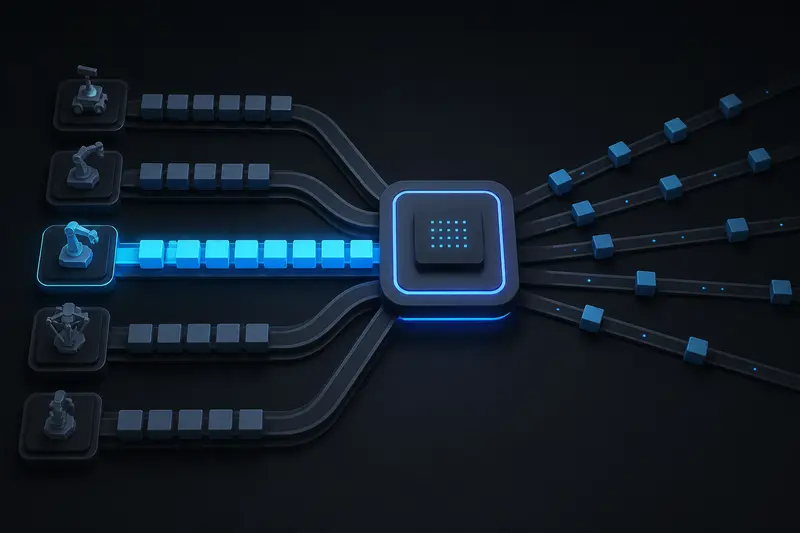
A node with a working publisher and a working subscriber can still freeze the rest of a robot's software. The usual cause is not a crash or a bad message, it is scheduling: a slow callback occupies the only thread available to it, and every other callback waiting on that same thread simply never runs. This article explains ROS2 executors and callback groups by walking through exactly that failure, then showing the concrete fix in code.
ROS2 Executors and Callback Groups: The Core Model
Every ROS2 node registers callbacks: functions that fire when a subscription receives a message, a timer expires, or a service is called. None of these callbacks run on their own. An executor is the object that actually pulls ready callbacks off a queue and runs them. By default, calling rclpy.spin(node) creates a single-threaded executor, which processes exactly one callback at a time, to completion, before starting the next one.
A callback group is a label attached to each callback that tells the executor how it is allowed to be scheduled relative to other callbacks. ROS2 defines two kinds:
- MutuallyExclusive (the default): callbacks in this group never run concurrently with each other. The executor serializes them, one at a time, even on a multi-threaded executor.
- Reentrant: callbacks in this group can run concurrently with each other and with callbacks in other groups, limited only by the number of threads the executor has available.
If you never create a callback group explicitly, every callback in a node lands in that node's single default MutuallyExclusive group. This detail is what causes the stall.
The Bug: A Slow Sensor Callback Blocks Everything
Consider a node with two subscriptions on a differential-drive robot: one to a lidar topic publishing at 10 Hz, and one to an IMU topic publishing at 100 Hz that feeds a control loop. The lidar callback does some point-cloud filtering that occasionally takes 150 milliseconds. Both callbacks are on the same node and neither one created a custom callback group, so both are in the same default MutuallyExclusive group.
import rclpy
from rclpy.node import Node
from sensor_msgs.msg import LaserScan, Imu

class DriveNode(Node):
    def __init__(self):
        super().__init__('drive_node')
        self.create_subscription(LaserScan, 'scan', self.on_scan, 10)
        self.create_subscription(Imu, 'imu', self.on_imu, 10)

    def on_scan(self, msg):
        # occasionally slow point-cloud filtering, ~150 ms
        self.filter_scan(msg)

    def on_imu(self, msg):
        # feeds the control loop, needs to run near 100 Hz
        self.update_orientation(msg)
With a single-threaded executor, the timeline looks like this whenever on_scan takes 150 ms: every on_imu message that arrives during that window queues up and waits, because the executor cannot start a new callback from the same MutuallyExclusive group until the current one finishes. Instead of updating at 100 Hz, the control loop effectively updates in bursts, with a 150 ms gap every time the lidar filter runs. On a real robot this shows up as jerky orientation estimates and, if a PID loop is downstream of on_imu, oscillation or overshoot that looks like a tuning problem but is actually a scheduling problem.
Switching to a multi-threaded executor without touching callback groups does not fix this. The default callback group is still MutuallyExclusive, so the executor still refuses to run on_scan and on_imu at the same time, even though it now has multiple threads free to do so.
The Fix: Separate Callback Groups, Multi-Threaded Executor
The fix has two parts. First, put the slow callback and the time-critical callback in different callback groups so the executor no longer considers them mutually exclusive. Second, use an executor with more than one thread, since callback groups only describe what is allowed to run concurrently, not that it will.
from rclpy.callback_groups import MutuallyExclusiveCallbackGroup
from rclpy.executors import MultiThreadedExecutor

class DriveNode(Node):
    def __init__(self):
        super().__init__('drive_node')
        scan_group = MutuallyExclusiveCallbackGroup()
        imu_group = MutuallyExclusiveCallbackGroup()
        self.create_subscription(LaserScan, 'scan', self.on_scan, 10,
                                  callback_group=scan_group)
        self.create_subscription(Imu, 'imu', self.on_imu, 10,
                                  callback_group=imu_group)

    def on_scan(self, msg):
        self.filter_scan(msg)

    def on_imu(self, msg):
        self.update_orientation(msg)

def main():
    rclpy.init()
    node = DriveNode()
    executor = MultiThreadedExecutor(num_threads=2)
    executor.add_node(node)
    executor.spin()
Note that each subscription still uses a MutuallyExclusive group, just a separate one for each. This is the usual pattern: MutuallyExclusive groups protect a callback from re-entering itself or racing with other callbacks that share state, while giving unrelated callbacks their own group lets them run in parallel. Reentrant groups are for the narrower case where a single callback can safely run multiple instances of itself concurrently, such as an independent, stateless service handler; reaching for Reentrant by default risks data races if the callback touches shared node state without a lock.
Sizing the Executor's Thread Pool
A MultiThreadedExecutor with too few threads recreates the same stall with extra steps, since two callback groups sharing one thread still serialize. A reasonable starting point is one thread per callback group that has real concurrency requirements, plus one spare thread for timers and services. For the two-group example above, two threads is the minimum that actually decouples the lidar and IMU callbacks; three gives the timer or an added service callback room to run without contending. Adding threads beyond what your callback groups can use does not help and just adds idle threads.
It is also worth checking whether a callback truly needs to live inside the executor at all. CPU-heavy work like image processing is sometimes better moved to a separate thread or process that the callback simply hands data off to, keeping the callback itself, and therefore the executor, fast regardless of how the work is scheduled.
Diagnosing an Existing Stall
Before restructuring callback groups, confirm the stall actually exists. Two checks are worth running:
- Log a timestamp at the start and end of each suspect callback, and check whether the gap between consecutive
on_imucalls spikes wheneveron_scanruns. A spike lining up with the slow callback's duration confirms serialization, not a message-rate problem. - Use
ros2 topic hz /imuwhile artificially slowing the lidar filter (a sleep call is enough for testing) and watch the reported rate drop in lockstep. If the drop tracks the artificial delay, the callback group is the cause.
If a node already publishes and subscribes correctly, as covered in ROS2 nodes and topics explained, callback group misconfiguration is the next most common source of a robot that behaves correctly in isolation but stutters once more subscriptions are added to the same node.
Conclusion
ROS2 executors decide when callbacks run, and callback groups decide which callbacks are allowed to overlap. The default, everything in one MutuallyExclusive group processed by a single-threaded executor, is safe but strictly serial, and it is easy to hit a real stall the moment one callback in a node is occasionally slow. Splitting time-critical and slow callbacks into separate MutuallyExclusive groups, and running them under a MultiThreadedExecutor sized to match, restores the concurrency the robot's control loop actually needs without introducing races inside any single callback.
Building or studying robotics?
Arcbotix publishes practical guides on robotics engineering, control systems and real-world builds. Explore more articles on the blog.